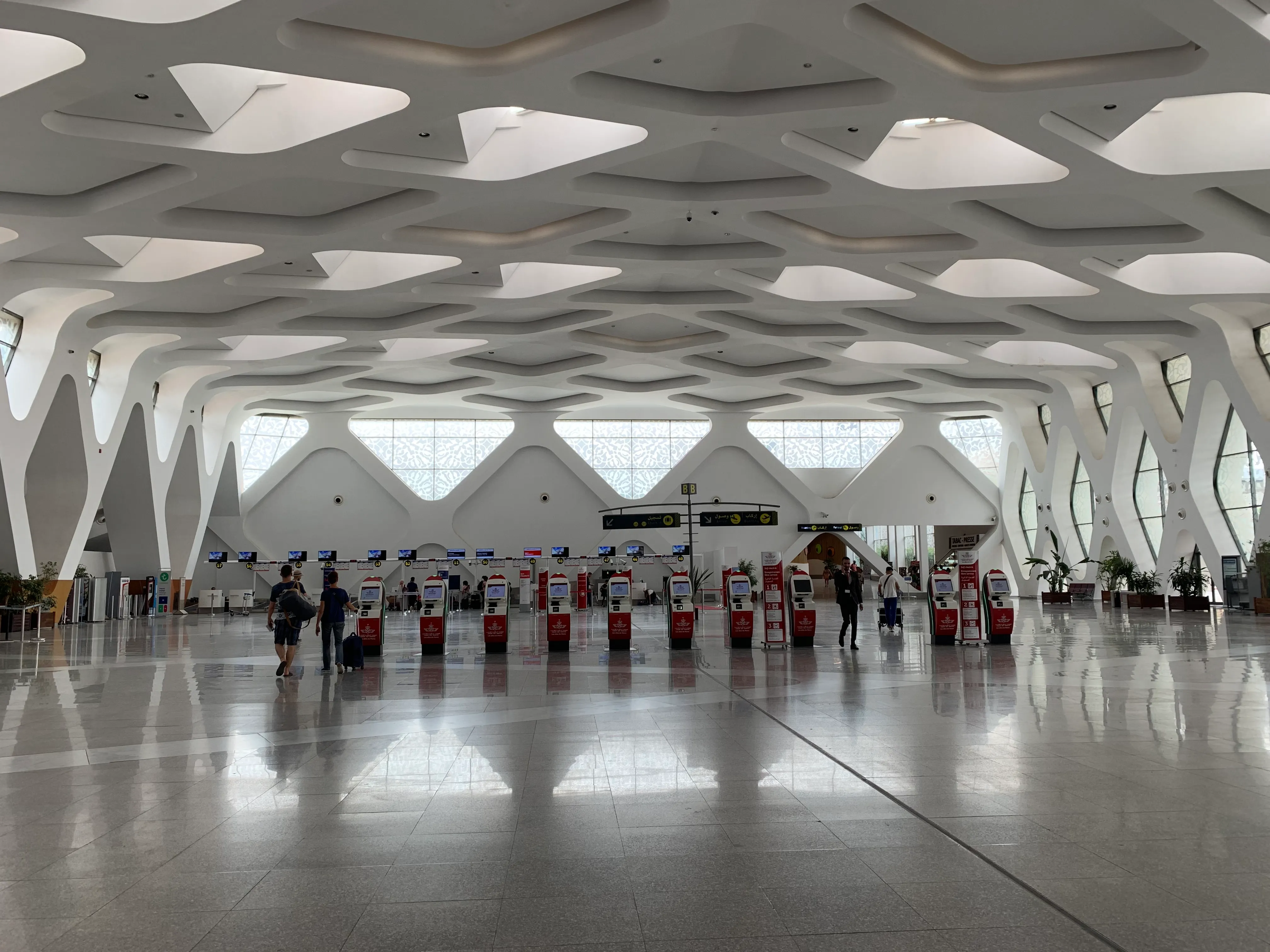
Yes, Marrakech Menara Airport (RAK) has free WiFi. It has been offered by ONDA, the national airports office, since 12 December 2015, and it covers the public halls, the arrivals area, the cafés and the departure lounge. There is no password: you join the airport’s open network, a login page (a “captive portal”) opens, you accept the terms of use, sometimes after entering an email address or watching a short promotional video, and you are online. It is good enough for WhatsApp, email, maps and boarding passes, it slows down when several flights land at once, and it stops working a few steps after you walk out of the terminal.
This guide goes further than “it’s free”: how to spot the right network, exact steps for iPhone, Android and laptops, what to do when the login page refuses to open (the most common problem), where the signal is best, whether you can make video calls, how to charge your phone, and what to use once you leave the airport. We are an independent, unofficial guide, not affiliated with ONDA or any airline. Network names and login screens can change, so always follow the airport’s own signage.
Marrakech airport WiFi at a glance
| Question | Short answer | Detail |
|---|---|---|
| Is it free? | Yes | Free service launched by ONDA in December 2015 |
| Password? | No | Open network plus a login page in your browser |
| What you may be asked | Accept the terms | Sometimes an email address or a short video first |
| Where it works | Inside the terminal | Arrivals hall, check-in halls, cafés, departure lounge, gates |
| Outside the building | Weak or none | Forecourt, taxi rank and car parks are not reliable |
| Hours | Around the clock | Available whenever the terminal is open to passengers |
| Time limit | Sessions can expire | Reconnect through the login page if pages stop loading |
| Speed | Basic | Fine for messages and maps; weak for video at peak times |
| Faster options | Lounge WiFi, local SIM, eSIM | Lounges have their own network; SIM desks are in arrivals |
| Cost to use the portal | Nothing | Never enter card details to get the airport WiFi |
Is there free WiFi at Marrakech airport?
Yes. ONDA (Office National des Aéroports), which runs Marrakesh Menara Airport and Morocco’s other main airports, switched on free WiFi in Marrakech on 12 December 2015, six months after launching it at Casablanca’s Mohammed V airport in June 2015. Moroccan press covered the launch at the time: Bladi.net relayed ONDA’s announcement that travelers only need to accept the terms of use, and Morocco World News reported coverage “in all areas”, including the public halls, restaurants and cafés.
What we can and cannot confirm, so you know how far to trust any guide on this subject:
- Confirmed: the service is free, it covers the passenger areas of the terminal, and it uses a login page rather than a password.
- Varies: what the login page asks for. Travelers have reported a simple “accept” button, an email field, or a short video to watch or skip before access.
- Not published: ONDA does not publish an official speed, session length or network name, and the network has been renamed over the years. Any guide quoting an exact speed in Mbps for RAK is guessing.
That is why this guide focuses on how to identify the right network and get past the login page, which work whatever the network is currently called.
How to connect to the WiFi at Marrakech airport, step by step
- Turn on WiFi and open the list of networks.
- Choose the airport’s open network. It has no padlock, and its name refers to the airport (look for words such as “Menara”, “ONDA”, “Airport” or “Free WiFi”). If several look similar, check the WiFi signs in the hall or ask at the information desk.
- Wait for the login page. On most phones it opens by itself within a few seconds.
- If it does not open, start your browser and type a plain address that does not use https, such as neverssl.com. This forces the network to show its login page.
- Accept the terms of use. Enter an email address or watch the short video if asked.
- Check it works by loading any page. If you use a VPN, turn it back on now.
The login page is what network engineers call a captive portal: the network lets you connect but blocks everything until you have accepted its conditions. Almost every connection problem at an airport comes from that page not appearing, which is why the next sections are mostly about making it show up.
On iPhone and iPad
- Go to Settings > Wi-Fi and tap the airport network. A sign-in sheet should slide up by itself.
- No sheet? Open Safari and type captive.apple.com or neverssl.com.
- If the page loops or keeps failing, tap the blue (i) next to the network and, for this network only, set Private Wi-Fi Address to Off or Fixed (Apple explains the feature on its private Wi-Fi address page), and switch off Limit IP Address Tracking. If you pay for iCloud+, iCloud Private Relay can also stop the login page from loading until you have signed in. Turn these settings back on later.
On Android phones
- Open Settings > Network & internet > Internet (the wording depends on the brand) and select the network. Google’s help page on connecting to Wi-Fi networks shows the standard steps.
- Watch for the notification “Sign in to Wi-Fi network” and tap it to open the login page.
- No notification? Open Chrome and go to neverssl.com.
- If you have set a custom Private DNS (for an ad blocker, for example), switch it to Automatic while you sign in; a custom DNS often blocks captive portals.
- Some phones jump back to mobile data when the WiFi “has no internet”. If you are roaming, turn off that switch-over so you do not pay roaming charges by mistake.
On a laptop
- Connect to the network, then open a browser window; the login page usually appears on its own.
- If not, type neverssl.com in the address bar.
- Pause your VPN and any custom DNS until you have accepted the terms, then switch them back on.
- On Windows, mark the network as Public so file and printer sharing stay off.
Why won’t the Marrakech airport WiFi login page open?
This is the problem most people run into, and it almost always has a simple cause.
| Symptom | Likely cause | Fix |
|---|---|---|
| “Connected, no internet” | You have not accepted the terms yet | Open neverssl.com to bring up the login page |
| Login page never appears | VPN, ad blocker or custom DNS is on | Pause it, reconnect, sign in, then switch it back on |
| Page loads, then loops | Private address or tracking protection | iPhone: Private Wi-Fi Address Off, Limit IP Address Tracking off (this network only) |
| Worked, then stopped | Session expired or phone slept | Forget the network, reconnect, accept the terms again |
| Very slow | Several flights just landed or boarding | Move toward a café or a quieter part of the hall, wait a few minutes |
| Network not visible | Weak signal in your spot | Walk back inside the hall, away from doors and the forecourt |
| Everything fails | Network-side problem | Restart the phone; otherwise use a local SIM or eSIM |
Two habits save a lot of time. Forget the network in your settings before trying again, rather than just reconnecting, so the phone starts a fresh session. And stop apps that sync in the background (photo backups, app updates) while you are on the airport WiFi, because they eat the little bandwidth each passenger gets.
Where is the WiFi signal best at Marrakech airport?
Marrakech Menara is a single large building with connected halls (see our terminals and facilities guide), so the WiFi follows the passenger areas. In practice:
- Baggage reclaim and the arrivals hall. The network is available, which makes this the moment to message your driver or riad, before you step outside. Once you are on the forecourt, at the taxi rank or in the car park, the signal fades fast.
- Check-in halls (landside). Usable for checking your flight or downloading a boarding pass while you queue.
- The airside departure lounge. Where you will spend the most time. The area around the cafés and seating is usually the best spot; see our guide to the airport’s restaurants and cafés for what is where.
- Gates. Fine for messages, but a crowded gate area means many phones on the same access point. Some flights board by bus from remote stands, so finish anything important before you are called.
- Lounges. The Pearl Lounge and the Royal Air Maroc lounge run their own WiFi, usually faster and steadier than the public network, with the access details given at reception. Our Marrakech airport lounges guide covers prices and who can get in.
If you are arriving and someone is picking you up, our arrivals guide shows where the meeting point is, so you can tell your driver exactly where to find you while you are still connected.
Is the airport WiFi fast enough for calls and work?
There is no official speed for the RAK network, and the experience depends on the time of day. What travelers can reasonably expect:
| Use | Usually works? | Tip |
|---|---|---|
| WhatsApp, Messenger, SMS-style chat | Yes | Send voice notes rather than live calls at busy times |
| Email and web browsing | Yes | Close tabs that refresh in the background |
| Maps and ride or transfer apps | Yes | Download offline maps before you fly, as a backup |
| Boarding pass download | Yes | Save it to your phone wallet or take a screenshot |
| Voice calls over WhatsApp | Often | Better in the morning and away from crowded gates |
| Video calls | Sometimes | Expect freezes at peak times; use mobile data if it matters |
| Streaming films or series | Rarely | Download them at home before the trip |
| Large app or system updates | No | Pause automatic updates while traveling |
| Work VPN | After signing in | Accept the terms first, then turn the VPN on |
If you need a stable connection for work, a long call or a long layover, the real choices are a lounge (its own WiFi) or your own mobile data. Our Marrakech airport layover guide helps decide whether a lounge is worth it for your wait.
Landing at night or early: a simple connectivity plan
Night arrivals are when a missing connection hurts most: the arrivals hall is quieter, and you may need to reach a driver or a riad host who does not answer emails at 2 a.m. A plan that works:
- Before you fly: save your accommodation’s address and phone number, your transfer confirmation and your booking as screenshots, and download an offline map of Marrakech.
- At baggage reclaim: connect to the airport WiFi and send a message saying you have landed. Do it while you wait for your bags, not on the forecourt.
- In the arrivals hall: if you want a local SIM card, the operator desks are here (our SIM card and eSIM guide explains the options). Desk opening at night can vary, so the WiFi message comes first.
- Leaving the terminal: from here you rely on your own data or on the arrangements you have already made.
Our night and early-morning flights guide explains which services stay open overnight and what taxis cost after dark.
How to stay connected after you leave the airport
The airport WiFi ends at the door, and the first hour in Marrakech (taxi, finding the riad in the medina) is exactly when you want data. Your options:
| Option | Cost | Ready when you land? | Best for |
|---|---|---|---|
| Free airport WiFi | Free | Yes, inside the terminal only | Waiting, first messages |
| Local SIM card (Maroc Telecom, Orange, inwi) | Low; prepaid tourist packs | After a few minutes at the desk; passport needed | Stays of several days, best value |
| eSIM bought online | Varies by provider | Yes, if installed at home | Skipping the desk queue |
| Roaming on your home plan | Often high outside Europe | Yes | Short trips, if your plan includes Morocco |
Morocco is not covered by the EU’s “roam like at home” rules, which only apply inside the EU and EEA, as the European Union’s Your Europe page on roaming explains. Check your operator’s Morocco rates before you travel. Moroccan mobile networks are regulated by the ANRT, the national telecoms regulator.
For prices of the tourist packs at each operator desk, passport registration and eSIM brands, see our full Marrakech airport SIM card and eSIM guide. If you take the airport bus into town, our Bus 19 guide covers stops and timetables.
Charging your phone at Marrakech airport
A working connection is useless with a flat battery, and power is the second thing travelers ask about.
- Plugs and voltage: Morocco uses type C and type E sockets (the round two-pin European kind) at 220 V, 50 Hz, as listed in Wikipedia’s table of mains electricity by country. Visitors from the UK, Ireland, the US or Canada need a plug adapter. Most phone and laptop chargers accept 100–240 V, so an adapter is enough; check the label on anything else.
- Sockets in the terminal: there are charging points in the waiting areas, but not at every seat, and they fill up at busy times. Lounges have more.
- Bring a power bank: charged before you leave. Power banks and spare lithium batteries must travel in your cabin bag, never in checked luggage; our liquid rules guide also covers the battery rules at security.
- Use your own charger: plug into a socket with your own cable rather than an unknown USB cable left at a charging point.
Is the free airport WiFi safe?
Public WiFi is shared with hundreds of strangers, so treat it like any café network. The UK’s National Cyber Security Centre gives simple, practical advice for staying secure online; at the airport, it comes down to this:
- Stick to websites and apps that use encryption (the padlock and https), which almost all banking, email and messaging apps do.
- Avoid sensitive tasks such as online banking or entering card details on the public network if you can wait, or use your mobile data for them.
- Use a VPN if you have one, switched on after you have accepted the terms on the login page.
- Beware of look-alike networks. A network with a similar name that asks for a password, card details or an app is a red flag.
- Turn off file sharing (AirDrop to “Contacts only”, public network setting on Windows).
Is there WiFi at other airports in Morocco?
ONDA runs the country’s main airports and has rolled out the same kind of free, portal-based WiFi beyond Marrakech, starting with Casablanca Mohammed V in June 2015. If you are connecting or arriving elsewhere, such as Agadir Al Massira, Casablanca, Fès, Rabat or Tangier, expect a similar system: an open network, a login page and terms to accept. Speed and coverage differ from one terminal to another, so the same habits apply: message before leaving the building and keep a mobile-data backup.
If Marrakech is the start of a road trip, our guides to getting from Marrakech airport to Agadir and to Essaouira cover the journeys.
Frequently asked questions
Is the WiFi at Marrakech airport free?
Yes. ONDA has offered free WiFi at Marrakech Menara Airport since 12 December 2015. You pay nothing and you do not need a code from a shop or café.
Is there a password for the Marrakech airport WiFi?
No. The public network is open. Instead of a password, a login page asks you to accept the terms of use, sometimes with an email address or a short video first.
What is the WiFi network name at Marrakech Menara Airport?
ONDA does not publish a fixed name and it has changed over time. Choose the open network (no padlock) whose name refers to the airport, ONDA or Menara, and check the WiFi signs in the terminal if in doubt.
Does Marrakech airport have WiFi in the arrivals hall?
Yes. The network reaches baggage reclaim and the arrivals hall, so you can message your driver or accommodation before leaving the building. It fades quickly once you are outside.
Is there a time limit on the airport WiFi?
Sessions can expire, especially after your phone has been asleep. If pages stop loading, forget the network, reconnect and accept the terms again.
What is the Pearl Lounge WiFi password?
The lounges run their own private WiFi, and the access details are given to guests at reception. They are not public and can change, so ask the staff when you check in at the lounge.
Is the Marrakech airport WiFi available 24 hours?
Yes, the network runs whenever the terminal is open to passengers, including for night and early-morning flights. Shops and desks around you may be closed overnight, but the WiFi stays on.
Can I make WhatsApp calls on the airport WiFi?
Usually yes for voice calls, especially outside peak times. Video calls can freeze when the terminal is busy; voice notes and text are the most reliable.
Why does my phone say “connected, no internet”?
You are connected to the network but have not passed the login page yet. Open neverssl.com in your browser to bring it up, and pause any VPN or custom DNS.
Does Agadir airport have free WiFi?
Agadir Al Massira is also run by ONDA, which offers free, portal-based WiFi at Morocco’s main airports. Expect the same login process as in Marrakech, and check the signs in the terminal.
Last checked: November 2026. Found a different login screen or a new network name at RAK? Tell us through our contact page and we will update this guide.
Photo: Anass Sedrati, CC BY-SA 4.0, via Wikimedia Commons